







Find the IMEI, Model Number & Serial Number for Your Samsung Galaxy Device

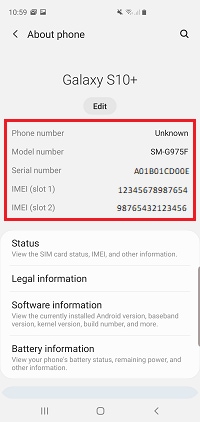
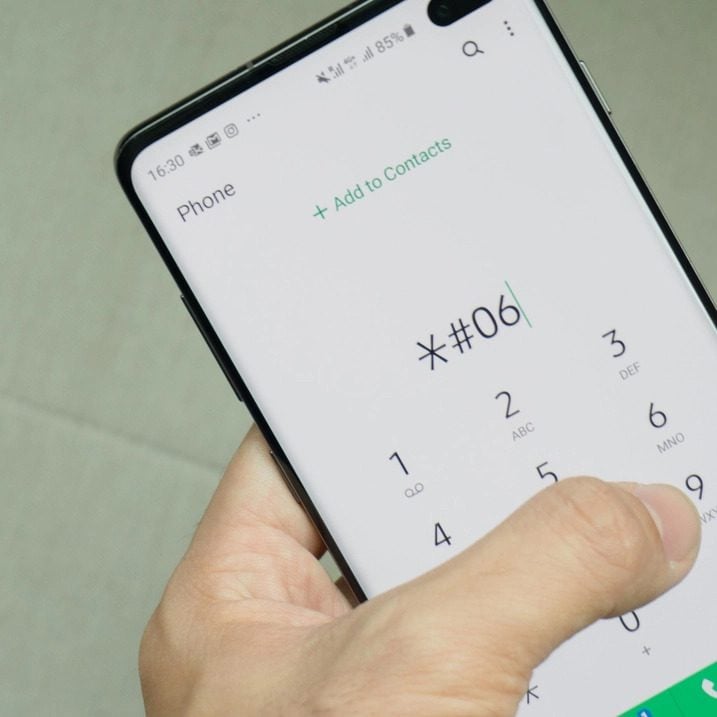
All mobile devices have a unique identity that is made up of an IMEI number, serial number and model number. The IMEI (or MEID) and serial number are two forms of identification for your phone or tablet. Just like fingerprints for people, these two numbers are different for every phone and tablet. These identifiers help ensure that your device is not a counterfeit and can also help you find it if it is lost or stolen. Additionally, sometimes you may need the IMEI or serial number to redeem special promotions from Samsung or a 3rd party service provider such as Fix Factory Canada.

Note: Available screens and settings may vary by software version and device model.

The difference between IMEI/MEID and serial number

A serial number and IMEI are similar, but have some differences. The serial number is a unique number assigned by the manufacturer (like Samsung) to help identify an individual device, like a phone, tablet, TV, and so on. For example, your phone’s serial number will be different from every other phone Samsung has made. Serial numbers make it easier for the makers to organize and keep track of their products.

On the other hand, an IMEI or MEID is only used for phones or other communication devices. Depending on the carrier, your device will have either an IMEI or MEID. These two numbers are different from a serial number. They are used at an international or global level, not just by manufacturers. Both types of numbers can help network providers track down a device that has been stolen or lost.

Finally, a model number is a specific number that applies to a range of products (i.e., the Note10, Tab S4, etc.). The number will vary depending on the year the product was released, its colour, the carrier, and some other factors. Every model that falls into that category (same colour, etc.) will have the same model number. For example, certain S8 models have a model number of SM-G950U, whereas some S9s have a model number of SM-G960U.

You can register or check your mobile device via At Your Service to find out more about your warranty coverage and find out what is covered, and if you have coverage.

Information about products not manufactured by Samsung, or independent websites not controlled or tested by Samsung, is provided without recommendation or endorsement. Samsung assumes no responsibility with regard to the selection, performance, or use of third-party websites or products. Samsung makes no representations regarding third-party website accuracy or reliability. Contact Us or the vendor for additional information.


Original Publish Date: April 08, 2021 | Source: https://www.samsung.com/sg/support/mobile-devices/how-to-find-the-imei-model-number-and-serial-number-for-samsung-galaxy-device/
iPhone Glass Only Repairs – Not All They Are Cracked Up To Be

Screen Repair Explained

Glass-Only vs. Full Screen Replacement

A cracked phone can still display an image and respond to touch, which makes a glass-only repair sound tempting. But the way modern displays are built means there are important differences in quality, consistency, and long-term durability.

Samsung phone example illustrating a glass-only screen repair
The short version

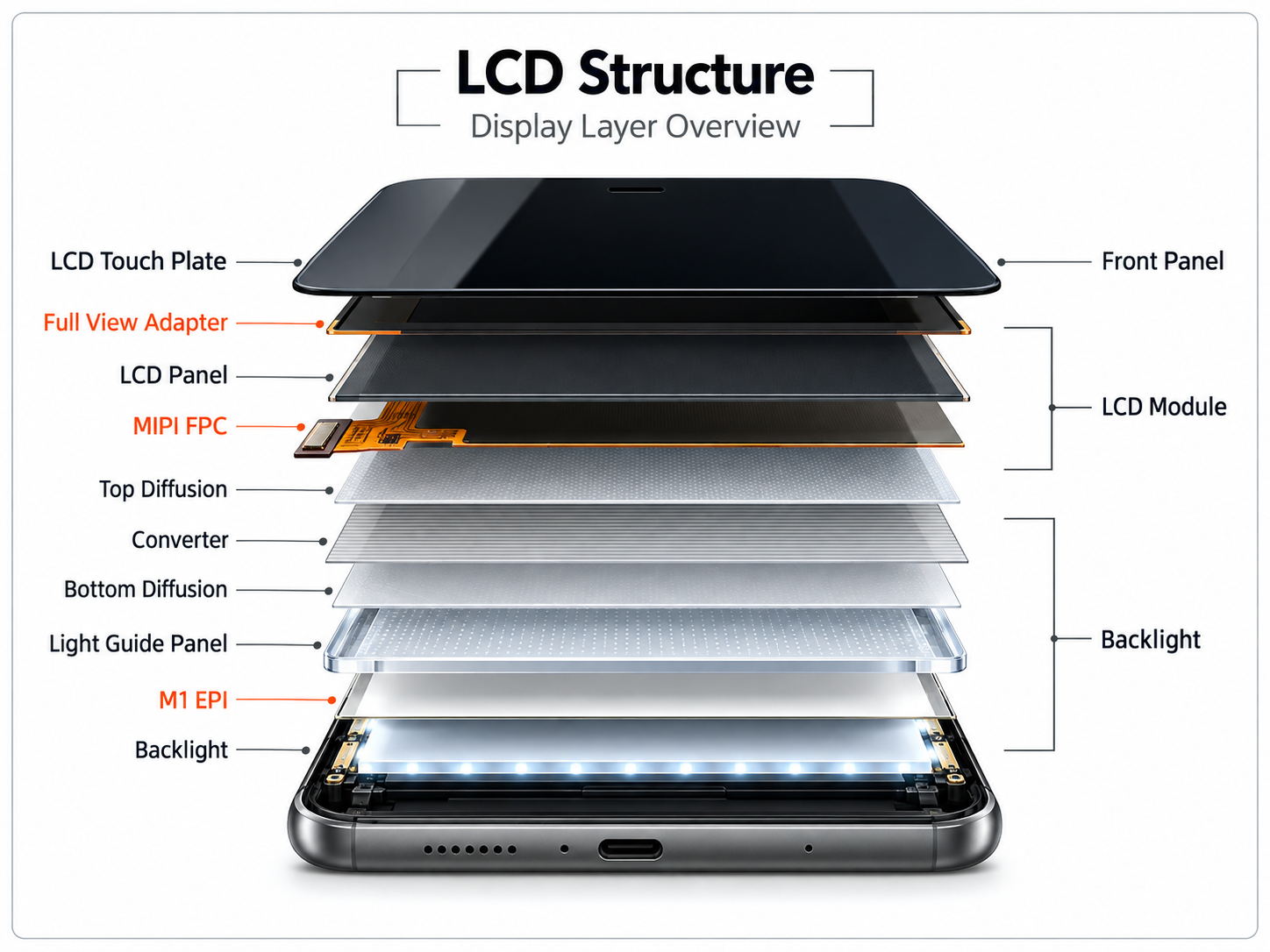
A modern phone display is normally built as one bonded assembly.

The front glass, touch layer, display panel, and surrounding frame are typically bonded together. A full-screen repair replaces that assembly. A glass-only repair separates and rebuilds the original display instead.

What’s the Difference?

Two very different repair approaches.

Both can be performed successfully, but they involve different equipment, labour, and quality-control requirements.

Glass-Only Refurbishment

Rebuild the existing display

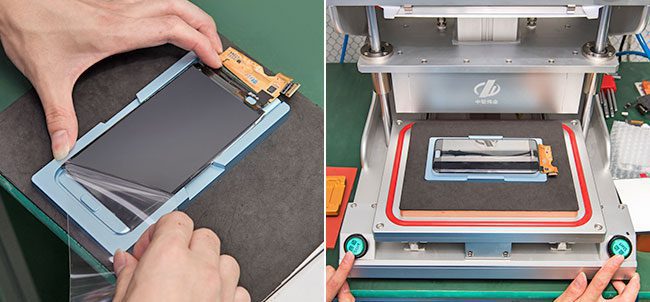
The broken outer glass is separated from the original display, the surface is cleaned, and new glass is laminated or bonded back onto the display.

  • Requires careful separation of the broken glass
  • Quality depends heavily on equipment and dust control
  • Frame bonding and adhesive quality are critical
  • Imperfections can become visible if the process is not done correctly
Exploded LCD structure showing the layers of a smartphone display assembly
Why the process is difficult

Glass-only work is more than simply gluing on new glass.

The old glass must first be separated from the display without damaging the underlying panel. The display then has to be cleaned, prepared, bonded, and sealed again.

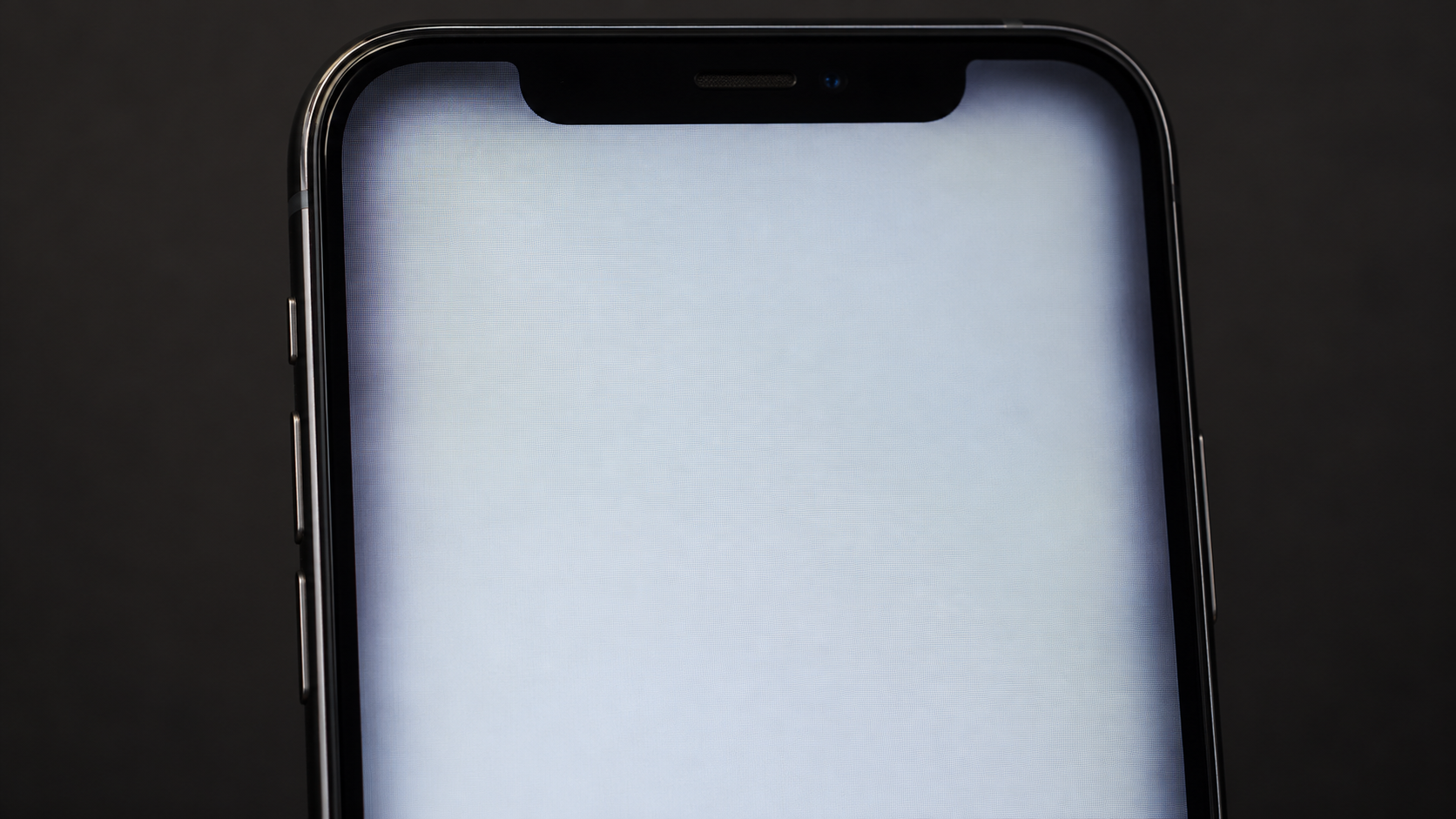
If the repair environment, adhesive, frame bonding, or lamination process is not controlled properly, the finished screen can show dust, bubbles, scratches, edge shadowing, lifting, or poor adhesion.

Important: A properly equipped refurbishment facility can perform glass-only work well. The concern is not the concept itself — it is how dependent the result is on equipment, process, and quality control.
What Can Go Wrong?

Common problems with poorly executed glass-only repairs.

Dust + Bubbles

Contamination trapped during bonding can remain visible under the glass.

Edge Shadowing

Uneven adhesive or bonding can create visible dark areas around the display edges.

Scratches + Marks

The original panel can be damaged during glass removal or cleaning.

Glass Lifting

Poor frame adhesion can allow the glass or rebuilt display to separate over time.

A Real-World Example

When the glass doesn’t stay bonded to the frame.

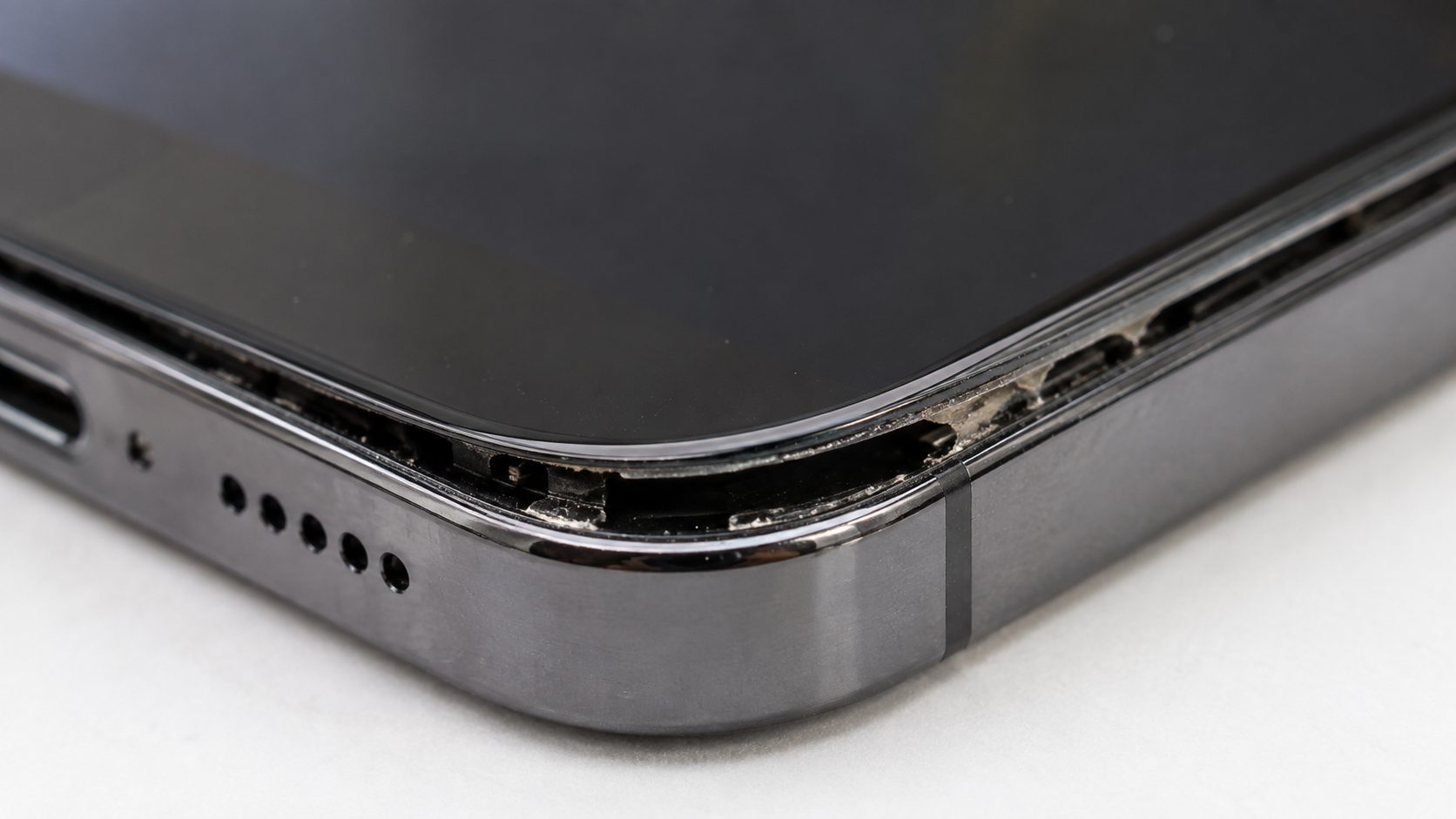
We have seen devices where a previous glass-only repair later separated from the frame. Once the assembly begins lifting, movement can place additional stress on the glass and display connections.

The examples below show the type of lifting and edge shadowing that can occur when a rebuilt screen is not bonded or sealed properly.

Example of LCD edge shadowing after an inferior glass-only repair
Visible edge shadowing
Example of LCD glass lifting after an inferior repair
Glass lifting from the frame
Our Recommendation

For a customer-facing repair, we prefer complete screen assemblies.

Full assemblies cost more than replacing only the outer glass, but they provide a more consistent repair process and avoid many of the variables involved in rebuilding a damaged display.

If you are considering a glass-only repair elsewhere, ask what equipment is being used, how the display is laminated, how dust and bubbles are controlled, how the frame is re-bonded, and what warranty is provided on the finished work.

Need a Screen Fix?

Choose your screen quality. Get Fixed™.

View available OEM and premium aftermarket screen options, pricing, service methods, and warranty coverage.