














Fix Factory is working to keep our customers and communities protected as we adapt our service delivery in response to government restrictions in place to slow the spread of COVID-19. We are committed to making sure you have the support you need during these challenging times. Here’s what we are doing to help.
More Ways Fix Factory is Committed to Your Health + Safety
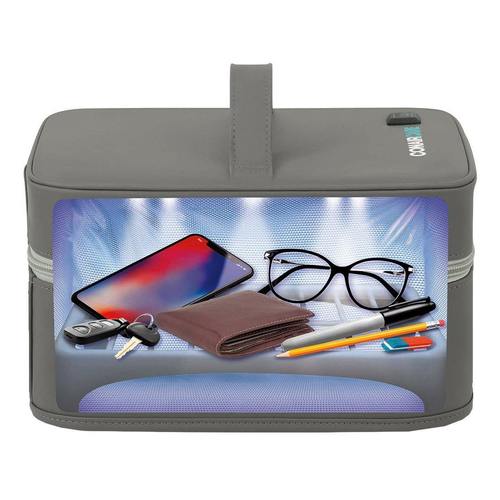
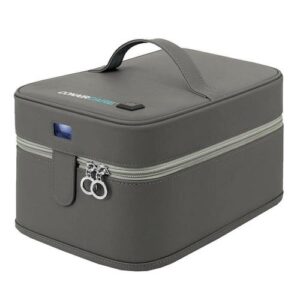
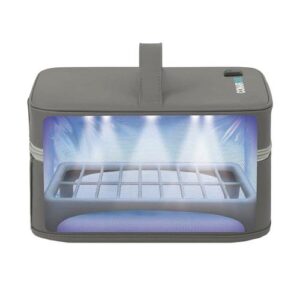 In addition to our ongoing Covid-19/General Contamination Policies and Procedures, We’ve introduced UVC Sanitization Technology, adding another layer of safety for our Customers & Technicians. The Sanitizing Soft Case contains 12 UVC LED lights that are combined with a reflective lining and removable plastic rack for a full sanitization within 3 easy minutes. Remember also, We disinfect, with 70-75% Alcohol Swabs, your device(s) pre-fix & post-fix, in addition to this extra UVC layer of safety.
UV light is one type of electromagnetic radiation that comes naturally from the sun and can also be created artificially with specialized bulbs. There are three types of UV radiation—UV-A, UV-B, and UV-C—none of which can be observed with the naked eye. Of the three, UV-C has the smallest wavelengths (180-280nm) and is the one required for UV disinfection.
It’s important to note that sanitation and disinfection aren’t synonymous. Sanitization reduces the number of germs on a surface. Disinfection, on the other hand, “eliminates many or all pathogenic microorganisms, except bacterial spores, on inanimate objects,” per the CDC.
UV-C light is just one disinfection method shown to inactivate the COVID-19 virus in multiple studies. The EPA keeps a list of COVID-19-approved disinfectants that can be used on various surfaces. But make sure to read the directions carefully, as many of these products aren’t friendly to your tech devices. Generally we use a soft cotton medical grade 70-75% Alcohol Swab. Want one of your own? Purchase them here!
Contactless Pick-Ups & Returns + On-Site Fix(in Vehicle)
If scheduled for an on-site fix, all Fix Factory Technicians wear a mask, sanitize tools and their person regularly. For our on-site services, We ask that you are wearing a mask upon the technician arriving. Our Technicians have been coached in the best ways known to avoid contamination and in working cleanly.
For Pick-Up/Drop-Off Services, Please ensure You place your device(s) for fix in a safe location 10-15 minutes prior to our arrival to pick-up your item(s) for fix. For Pick-up Service items, We will place them in separated compartments upon disinfecting and sanitizing for pick-up. Upon dropping off your device(s), we will provide them in a sanitized means, typically with the sanitized device(s) placed in a sealed sanitized plastic bag for transport and delivery.
Book Your Tablet or iPad Online!
We encourage you to clean your phone and phone screen frequently with approved >=70% alcohol wipes or another device approved cleaning solution. Do not use household cleaners, such as ‘Windex’ or ‘Vinegar Water’, as this may damage your glass/LCD, seals and/or frame assembly.
Personal Protective Equipment
We are using personal protective equipment such as masks and gloves, and are constantly sanitizing our work areas, pick-up vehicles and devices.
Sanitized Tools
We are increasing the frequency of our tool cleaning. We use approved and industry strength cleaning products, which are safe for your devices. We will provide you with a 70-75% Alcohol swab for device sanitization prior to us receiving it from you, whether for on-site or pickup/drop-off services.
Enhanced Sanitary Procedures
We have enhanced our cleaning procedures, increased frequency of cleaning and sanitization, and made our services contactless. Fix Factory is more than ever committed to safe processes and procedures, and will evolve these as details are released from the Government of Canada. For more information regarding Covid-19, please go to the Government of Canada’s website: Coronavirus Disease (COVID-19) – Information for Canadians AND/OR Coronavirus disease 2019 – World Health Organization