What Devices Do You Fix?
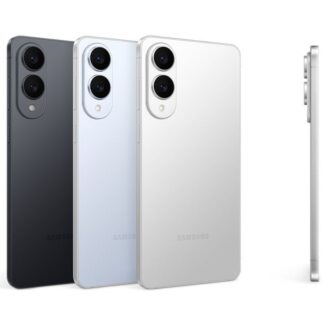
We fix smartphones, tablets, laptops, and select electronics, including iPhone, Samsung, Google Pixel, iPad, and more. If your device isn’t listed, contact us — we can usually source parts quickly. Most models, any problem.
Do You Use Genuine (OEM) or Original Parts?
We offer multiple quality tiers, depending on the device and fix requested:
How Long Does a Typical Fix Take?
Most common fixes (e.g. screens, batteries, backs, charging ports etc.) are completed within 30-minutes once the technician begins work. Some repairs or mail-in services may take longer depending on parts availability and scope of work.
Will My Device be 'Waterproof' or Retain Manufacturer IP68 or other Liquid and Dust Ratings?
The short answer - No. Technically, once you have dropped your device with significant g-force, have incurred general or excessive wear and tear, have physical damages or your device has been fixed/opened these actions will invalidate the IP68 rating guarantee from manufacturer. Although our technicians are trained to replace seals and adhesives where applicable, we don’t guarantee against liquid damages or guarantee the original IP68 rating, or any other rating, from the manufacturer. Read more about this here.
Does Your Fix Come With a Warranty or any Guarantee?
Yes. All screen and display fixes include a lifetime warranty, and most other parts are protected by up to a 1-year warranty.
In every case, our Install Guarantee also applies — your no-nonsense, fast-track to support if anything isn’t installed or performing correctly within its appropriate quality tier, from installation through 24 hours post-fix (unless otherwise stated — e.g. water-damaged, frame-damaged scenarios).
Want the fine print? Dig into the details here.
What Does the Warranty Cover?
Our warranty covers:
-
Part failure
-
Installation defects
It does not cover:
How do I Submit a Warranty Request for Adjudication?
You can submit a warranty request through your account or contact support. Warranty claims are prioritized and handled quickly based on priority. Dig into the details here!
Are Fix Factory Technicians Certified?
Yes. All fixes are completed by trained, certified fTech™ technicians, following Fix Factory standards and quality checks, including W.I.S.E certifications.
Do You Test the Device After Fix?
Every device is tested prior to fix, and before hand-off post-fix, to ensure full functionality in compliance with our Install Guarantee.
How Does Mobile OnSite (Doorstep) Fix Work?
Our certified fTech™ technicians come to you — home, office, or another safe & convenient location. The fix is completed inside Your Tech's equipped service vehicle.
Is there an Extra Cost for Mobile Onsite Service?
Mobile service pricing is included in your quote - there's no charge. No surprise call-out fees, ever.
Do I Need to be Present During the Fix?
The short answer, Yes, we require the device owner (or authorized user) to be present to approve the repair and test the device afterward. However, we understand when life happens, or you prefer to use your mail-box instead for contactless service. Just let us know your preference when booking, and we'll take care of it.
Are Your Prices Upfront?
Yes, always. All pricing is provided before work begins. If anything unexpected is found, we contact you first — no work without approval. Plus get instant online quotes.
What Payment Methods do You Accept?
We accept major Credit Cards, Debit, Cash, Email Money Transfer, Afterpay and Sezzle.
Do You Price Match?
No. We price-beat*.
*Lowest-Priced Fix Guarantee (LFG) - or it's free - provided the comparison is for the same part quality and available.
How Does Mail-in Fix Work?
-
Get an instant quote online.
-
Ship your device using our instructions and supplied shipping label (via email, printed).
-
We fix it same day it's received and send it back fully tested.
You’ll receive tracking updates at every step, with direct order communication at key checkpoints.
Is Mail-in Fix Safe and Secure?
Absolutely. Devices are logged, photographed, and tracked throughout the process with insurance. Also, Your data remains yours — and we do not access personal content, ever. We do recommend ensuring you have a current backup, and when possible ensure the device is in maintenance or repair mode.
Will My Data be Safe?
Yes. Your privacy and security matters. We do not access personal data unless absolutely required for diagnostics — and only with your consent, usually in front of you.
Should I Back up My Device?
We strongly recommend backing up your device before any fix. While data loss is rare, it’s always best practice.
Where Do You Operate?
We service multiple Canadian cities with mobile onsite service and continue expanding through our Fix Factory Partner Network. Service availability is shown during online booking.
Can Businesses use Fix Factory?
Yes! We offer B2B and enterprise fix solutions for companies with multiple devices or staff.
How can I contact Fix Factory?
You can:
-
Use the contact form on our site
-
Call or text 1-888-349-3349
-
Reach out via your customer account
We typically respond within 8–24 hours for non-urgent inquiry. For urgent inquires, please text us as well if possible.