















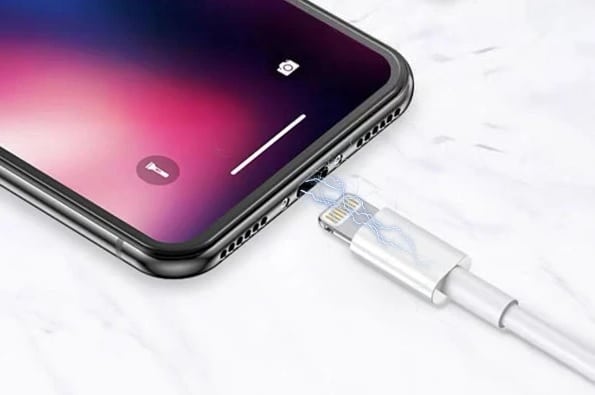
There are 4 main components in the iPhone Charging Process:
- Power Source – Wall Charger/ USB or Computer / Car Charger
- USB-C Charging Cable / Lightning Cable
- iPhone Charging Port
- iPhone Software
How do you know your iPhone is not charging?
When your iPhone is plugged into a power source, you need to look for a lightning bolt icon near the battery icon on your iPhone’s screen. If your iPhone won’t turn on once charging for a few minutes, the lightning icon does not appear or your battery bar doesn’t increase, then there is an issue with your iPhone battery or charging port usually. Here’s some solutions on how to ‘get fixed’:
1. Troubleshooting your iPhone with these technical steps.
One of the most common issues with charging is software. Try this 1-step solution to see if you’re iPhone comes back to life, but be sure to have your iPhone back-up ready. If you don’t have one, you may be starting fresh!
Solution:
Hard Reset your iPhone by
- Pressing the Home button and the power button together for your iPhone 6, iPhone 7, and iPhone 8
- Press both the volume buttons (up and down) together, along with a power button for iPhone X, iPhone XR, iPhone XS, iPhone 11, iPhone 11 Pro, iPhone 11 Pro Max, iPhone 12, iPhone 12 Pro, and iPhone Pro Max to hard reset your iPhone.
Keep holding the buttons until you see the Apple logo appear (this may take anywhere between 5 seconds to 30 seconds). Cross your fingers and try charging your iPhone now after the reset is complete. This will reboot your phone completely, so having a back-up is essential if you want to continue from where you left off in your phone. (Note: If the software of your iPhone has crashed, then the screen of your iPhone will go blank)
2. Clean the Dirty/Obstructed Charging Port

Another very common issue that prevents your iPhone from charging, is due to the presence of dust, lint, or debris deposits inside the charging port, some which might have accumulated over time. Even something very small which might have got in between the charging port connections may prevent it from making a solid connection with the charging cable, thereby causing charging problems.
Solution:
Use a (dry) toothbrush, toothpick or small metal or plastic straight tweezers and gently brush out your iPhones charging port to look for any deposits inside. A toothbrush works well because toothbrush bristles do not damage any internal phone parts and also does not conduct electricity. If you’re using metal tweezers, be aware of shorting components inside your charge port. With toothpicks and plastic tweezers, ensure they are good quality and don’t break off inside causing more issues. Cleaning the area and port with a moist alcohol pad can help clear away debris as well, but be sure it’s dry before attempting any charging!
3. Check for Broken/Damaged Charging Cable
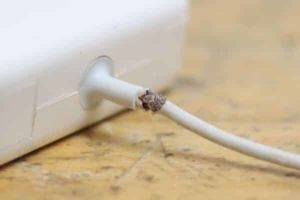 This is another very common reason why the iPhone stops charging due to the quality of the charging cable. If you are using an original charging cable, inspect your USB cable thoroughly and check for any existing damages on the cable; this could also be due to the poor condition of the cable or your cable being broken/damaged. Don’t be too surprised if you have bought a low-quality cable.
Solution:
If you have a broken/damaged cable, we recommend trying a different power cable instead. We also recommend you use the original power cable provided with your initial purchase to be safe if you still have it and it is in good condition. If your USB power cable is under warranty, then apple may change your power cable free of charge. *Apple T&C Apply (if there is no physical damage to the cable). All Fix Factory Certified Charging Cables come with a 1 year warranty and are the best quality, or original.
4. Check if the USB adapter is not firm
There are many different ways to charge your phone; using a power outlet, computer USB port, car charger, or speaker dock outlet, but there can also be an issue with the dock you are using. Sometimes the dock does not support your device, which may cause charging issues.
Solution:
Try using some other power outlet or charging port to charge your phone, and if this is the problem, then your phone should work once you change the port. (Suggestion: Try using a wall outlet socket which usually results in faster charging)
5. Check if your iPhone is damaged
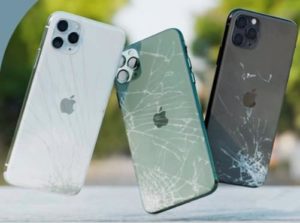
If you have dropped your iPhone, or accidentally your iPhone has been in contact with water, then maybe there could be an internal motherboard issue with your iPhone.
Solutions:
There are not too many options other than replacing your iPhone or getting it fixed by a device fixing expert.
If you have dropped your phone into water, try immediately try putting your phone into a bag full of rice and leave it for at least 72 hours. If it’s still not working, try getting in touch with us for the best possible solution. We do not charge for diagnosis’.
Can’t seem to fix the charging issue? FREE Instant Quote!